Grammarly vs QuillBot: Which Is Better in 2026?

Grammarly vs QuillBot

Choosing the right AI writing tool can significantly impact your productivity, content quality, and overall digital marketing success. Grammarly and QuillBot are two of the most widely used tools in this field. While both aim to improve writing, they serve different purposes and user needs.

In this detailed comparison of Grammarly vs QuillBot, we’ll break down features, pricing, use cases, and performance to help you decide which tool is better for you in 2026 whether you’re a student, blogger, marketer, or professional writer.

Quick Overview: Grammarly vs QuillBot

FeatureGrammarlyQuillBot
Primary PurposeWriting correction & enhancementParaphrasing & rewriting
Best ForProfessionals, marketers, teamsStudents, bloggers, researchers
AI WritingYesLimited
ParaphrasingBasicAdvanced (multiple modes)
Grammar CheckExcellentGood
Plagiarism CheckerYes (Premium)Yes (Premium)
PricingHigherMore affordable
Free VersionAvailableAvailable

What Is Grammarly?

Grammarly is a comprehensive AI-powered writing assistant designed to improve grammar, clarity, tone, and overall writing quality. It works across emails, documents, browsers, and even collaboration tools, making it ideal for professional and business use.

Grammarly Overview

Grammarly focuses on editing and refining original content rather than rewriting it. Its AI analyzes context, intent, and tone to suggest improvements that make writing more clear, polished, and professional.

Key Features of Grammarly

  • Advanced grammar and spelling correction
  • Tone detection and suggestions
  • AI-powered sentence rewrites
  • Plagiarism detection (Premium)
  • Browser extension, desktop app, and integrations
  • Supports emails, blogs, ads, and formal documents

What Is QuillBot?

QuillBot is an AI-driven writing tool primarily built for paraphrasing, summarizing, and rewriting content. It is widely used by students, content creators, and researchers who need to rewrite text quickly while preserving meaning.

QuillBot Overview

Unlike Grammarly, QuillBot specializes in transforming existing content. Its paraphrasing engine allows users to rewrite text in different tones and styles, making it highly effective for repurposing content or avoiding repetition.

Key Features of QuillBot

  • AI paraphraser with multiple writing modes
  • Grammar checker
  • Text summarizer
  • Plagiarism checker (Premium)
  • Simple and beginner-friendly interface

Grammarly vs QuillBot: Feature-by-Feature Comparison

FeatureGrammarlyQuillBotWinner
Grammar AccuracyExcellentGoodGrammarly
ParaphrasingBasicAdvancedQuillBot
AI WritingStrongLimitedGrammarly
Plagiarism DetectionAccurateDecentGrammarly
Ease of UseVery easyVery easyTie
IntegrationsExtensiveLimitedGrammarly

Grammarly vs QuillBot for Different Use Cases

For Students

  • Grammarly helps improve grammar, clarity, and plagiarism issues in essays.
  • QuillBot is excellent for paraphrasing assignments and summarizing research.

Best Choice: QuillBot for rewriting, Grammarly for final polishing.

For Bloggers & Content Creators

  • Grammarly ensures content is error-free and reader-friendly.
  • QuillBot helps rewrite old posts, create variations, and speed up content production.

Best Choice: Both together for faster, high-quality content creation.

For Digital Marketers

  • Grammarly improves ad copy, emails, and landing pages with tone control.
  • QuillBot assists in repurposing content for multiple platforms.

Best Choice: Grammarly for professionalism, QuillBot for content scaling.

Grammarly vs QuillBot Pricing Comparison

PlanGrammarlyQuillBot
Free PlanBasic checksLimited paraphrasing
Monthly PriceHigherLower
Annual PriceDiscountedBudget-friendly
Best Value ForProfessionals & teamsStudents & individuals

QuillBot is clearly more affordable, while Grammarly offers deeper writing intelligence at a premium cost.

Pros and Cons of Grammarly and QuillBot

Grammarly Pros

  • Highly accurate grammar and tone suggestions
  • Professional-grade writing improvements
  • Works across multiple platforms

Grammarly Cons

  • Expensive compared to alternatives
  • Limited paraphrasing flexibility

QuillBot Pros

  • Best-in-class paraphrasing engine
  • Multiple rewriting modes
  • Affordable pricing

QuillBot Cons

  • Weaker grammar checking
  • Fewer integrations

Grammarly vs QuillBot: Which Tool Should You Choose?

The choice depends entirely on your goals.

  • Choose Grammarly if you want to polish original writing, improve professionalism, and maintain brand tone.
  • Choose QuillBot if you frequently rewrite, paraphrase, or repurpose content.
  • Use both tools together for maximum efficiency—QuillBot for rewriting, Grammarly for final editing.

Can You Use Grammarly and QuillBot Together?

Yes, and many professionals do. A common workflow is rewriting content with QuillBot and then refining it with Grammarly for grammar, clarity, and tone. This combination delivers fast, clean, and high-quality results.

Final Verdict: Grammarly vs QuillBot

In the Grammarly vs QuillBot debate, there is no single winner. Grammarly excels in editing, accuracy, and professionalism, while QuillBot dominates paraphrasing and content transformation.

For digital marketers and bloggers, using both tools strategically offers the best return on time and investment.

FAQs – Grammarly vs QuillBot

1. Is Grammarly better than QuillBot?

 Grammarly is better for editing and polishing, while QuillBot is better for rewriting.

2. Is QuillBot safe to use?

Yes, QuillBot is safe and widely used by students and professionals.

3. Can QuillBot replace Grammarly?

 No. QuillBot complements Grammarly but does not replace its advanced editing features.

4. Which is better for SEO writing?

 Using QuillBot for rewriting and Grammarly for editing is ideal for SEO content.

5. Which is best for students?

 QuillBot for paraphrasing, Grammarly for plagiarism and grammar checks.

ChatGPT vs Jasper AI: Which Is Better for Marketing?

ChatGPT vs Jasper AI Which Is Better for Marketing

ChatGPT vs Jasper AI: AI tools are now a core part of modern marketing. From blogs and ads to social media and emails, they help marketers work faster and smarter. ChatGPT and Jasper AI are both popular choices. Instead of asking which is better, the real question is which one best fits your marketing goals

What Is ChatGPT?

ChatGPT is an AI language model developed by OpenAI. It works like a conversational assistant that understands context, answers questions, generates ideas, and creates content across multiple formats.

Unlike marketing-specific tools, ChatGPT is designed to be flexible and adaptable, making it worthwhile far beyond marketing.

Key Features of ChatGPT for Marketing

  • Long-form blog writing and content expansion
  • Ad copy and headline ideation
  • Email drafts and follow-up sequences
  • Social media captions and hooks
  • Marketing strategy brainstorming
  • Customer support replies and FAQs

Strengths of ChatGPT

  • Highly conversational and human-like responses
  • Strong creativity and idea generation
  • Works well for storytelling and in-depth content
  • Cost-effective for individuals and small teams
  • Useful beyond marketing (research, planning, scripting)

Limitations of ChatGPT

  • No built-in marketing templates
  • Requires good prompts for high-quality output
  • SEO structure needs to be handled manually
  • Brand voice consistency depends on user input

What Is Jasper AI?

Jasper AI is explicitly built for marketers. It focuses on speed, structure, and conversion-oriented content rather than open-ended conversations.

It’s commonly used by agencies, content teams, and performance marketers who want ready-to-use marketing assets quickly.

Key Features of Jasper AI

  • Pre-built marketing templates
  • Blog post workflows
  • Brand voice memory
  • SEO-focused content generation
  • Ad copy and landing page writing
  • Team collaboration features

Strengths of Jasper AI

Limitations of Jasper AI

  • Higher pricing compared to ChatGPT
  • Less flexibility outside marketing use cases
  • Content can feel formula-based if overused
  • Limited creative depth compared to ChatGPT

ChatGPT vs Jasper AI: Feature-by-Feature Comparision

FeatureChatGPTJasper AI
Primary FocusGeneral AI assistantMarketing-specific AI
Content FlexibilityVery HighMedium–High
SEO OptimizationManualBuilt-in
Brand Voice ControlLimitedStrong
TemplatesNoYes
Ease of UseMediumHigh
Pricing FlexibilityHighLow
Best ForStrategy, ideation, depthSpeed, structured marketing

Content Quality Comparison for Marketing Use Cases

Blog Writing & SEO Content

  • ChatGPT is better for long-form blogs, storytelling, and educational content
  • Jasper AI is better for fast SEO drafts and structured blog frameworks

If you prefer writing detailed, value-driven articles, ChatGPT gives you more creative control. If speed matters more than depth, Jasper gets the job done faster.

Ad Copy & Sales Content

  • Jasper AI excels at:
    • Facebook & Google Ads
    • Landing page copy
    • Promotional messaging
  • ChatGPT works better for:
    • Creative hooks
    • Emotional angles
    • Unique ad concepts

Social Media Content

  • Jasper AI: Platform-specific captions and quick posts
  • ChatGPT: Trend-based ideas, storytelling captions, and engagement hooks

Email Marketing

  • Jasper AI is ideal for:
    • Promotional emails
    • Product launches
    • Sales sequences
  • ChatGPT is better for:
    • Nurture emails
    • Story-based campaigns
    • Relationship-driven communication

Ease of Use & Learning Curve

Both tools are easy to use, but they serve different types of users.

  • Beginners and non-writers → Jasper AI
  • Advanced marketers and strategists → ChatGPT
  • Agencies and teams → Jasper AI
  • Solo creators and bloggers → ChatGPT

Pricing Comparison & Value for Money

Pricing AspectChatGPTJasper AI
Free PlanYes (limited)No
Entry CostLowHigh
ScalabilityFlexibleTeam-oriented
Best Value ForIndividuals & creatorsAgencies & brands

From a pure ROI perspective, ChatGPT offers more flexibility at a lower cost, while Jasper justifies its pricing with speed and structured workflows.

Use-Case Scenarios: Which Tool Should You Choose?

  • If you run a content-heavy blog → ChatGPT
  • If you manage multiple brands or clients → Jasper AI
  • If you want creative freedom and depth → ChatGPT
  • If you want fast, conversion-ready content → Jasper AI

Many marketers actually use both together — ChatGPT for ideation and Jasper for execution.

SEO & Performance Consideration

No AI tool can replace human judgment completely. To get the best results:

  • Always edit AI-generated content manually
  • Add personal insights and real examples
  • Optimize headings, internal links, and meta data
  • Avoid publishing raw AI output

Conclusion

There is no single winner in the ChatGPT vs Jasper AI debate.

ChatGPT shines in creativity, flexibility, and depth. Jasper AI excels in speed, structure, and marketing execution.

The smartest marketers don’t choose one unthinkingly. They select the tool that fits their workflow, budget, and content goals or combine both for maximum impact.

The real advantage comes from how you use AI, not which AI you use.

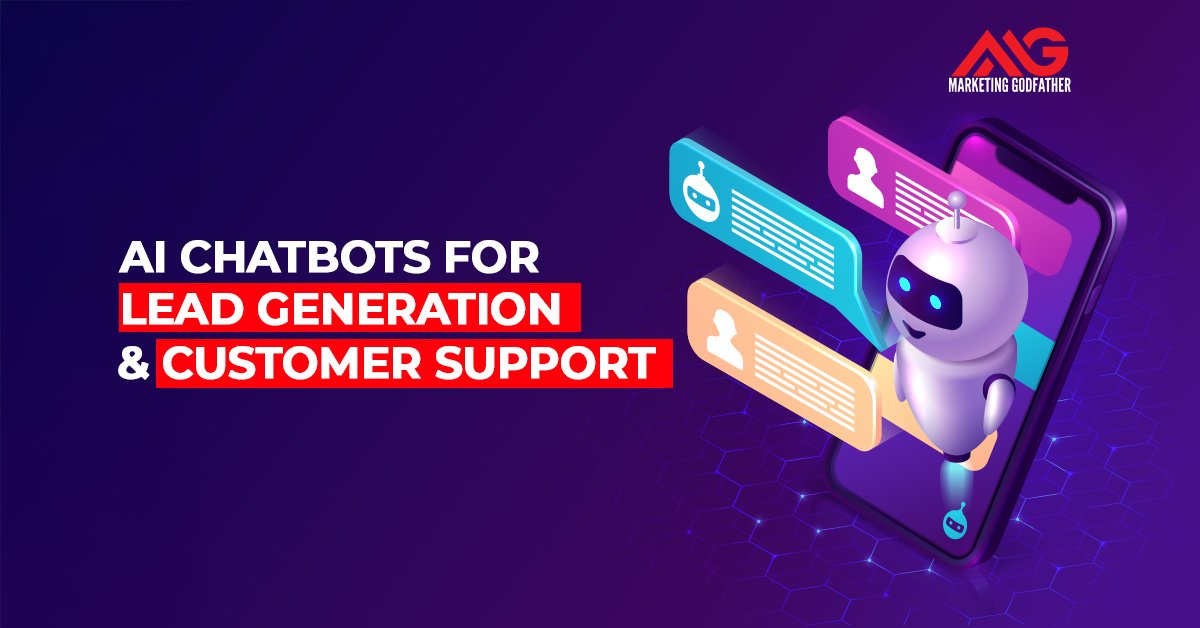
AI Chatbots for Lead Generation & Customer Support

AI Chatbots for Lead Generation

A few years ago, websites only shared information and collected forms. Today, that’s not enough. Users expect instant answers and effortless support. If a site feels slow or confusing, they leave. AI chatbots now help businesses engage visitors, generate quality leads, and support customers efficiently.

What Are AI Chatbots and How Do They Work?

AI chatbots are conversational tools designed to interact with users in real time. Unlike basic rule-based bots, modern AI chatbots can understand intent, respond intelligently, and improve over time.

  • Natural Language Processing (NLP) to understand human language
  • Machine learning can improve replies based on previous interactions.
  • Context awareness to keep conversations relevant

Why AI Chatbots Matter in Digital Marketing

Digital marketing is no longer just about traffic. It’s about what happens after users arrive.

AI chatbots help marketers bridge the gap between attention and action. They engage visitors at the right moment, reduce hesitation, and guide users toward decisions instead of letting them drift away.

  • Faster response times to inquiries
  • Higher engagement on landing pages
  • Better-qualified leads
  • Reduced dependency on forms
  • Improved overall user experience

AI Chatbots for Lead Generation

How Chatbots Capture and Qualify Leads?

Traditional lead forms ask users to do all the work. Chatbots flip that dynamic.

Instead of presenting a form, a chatbot starts a conversation. It asks simple questions, adapts based on responses, and collects information gradually. This feels natural and lowers resistance.

At the same time, the chatbot can qualify leads in real time, filtering out low-intent users and highlighting serious prospects for the sales team.

Common Lead Generation Use Cases

  • Engaging first-time website visitors
  • Asking qualifying questions about needs or budget
  • Recommending products or services
  • Capturing contact details
  • Booking demos, calls, or consultations

Each interaction moves the user one step closer to conversion.

Chatbot Lead Journey 

StageWhat Happens
Visitor arrivesChatbot greets the user
InteractionBot asks relevant questions
QualificationUser intent and need identified
ConversionLead captured or meeting booked

This structured journey ensures leads are captured without friction.

AI Chatbots for Customer Support

How Chatbots Improve Support Efficiency

Customer support teams often spend most of their time answering the same questions again and again. AI chatbots reduce this load by handling repetitive queries instantly.

They provide immediate answers, reduce ticket volume, and allow human agents to focus on complex or sensitive issues. The result is faster support and a better experience for everyone involved.

Customer Support Tasks Handled by Chatbots

  • FAQs and policy-related questions
  • Order or delivery status updates
  • Account and billing queries
  • Basic troubleshooting steps

AI Chatbots vs Human Support

Support AreaChatbotHuman
Repetitive questionsYesNo
Complex issuesNoYes
Emotional concernsNoYes
24/7 availabilityYesNo

The most effective support systems combine both automation for speed and humans for empathy.

Lead Generation vs Customer Support Chatbots

While the technology may be similar, the purpose is different.

Lead generation chatbots are proactive. Their role is to guide users, qualify interest, and drive conversions. Customer support chatbots are reactive, focused on resolving issues and maintaining trust.

AspectLead ChatbotSupport Chatbot
GoalCapture leadsResolve issues
TonePersuasiveHelpful
Key metricConversionsResolution time

Understanding this distinction is crucial when designing chatbot flows.

Choosing the Right AI Chatbot Platform

There is no universal “best” chatbot platform. The right choice depends on your business goals, scale, and technical needs.

  • Size and complexity of your business
  • Industry-specific requirements
  • CRM and marketing tool integrations
  • Channels you want to support (website, WhatsApp, Messenger, etc.)

Popular platforms like Intercom, Drift, Tidio, HubSpot, and Freshchat serve different use cases. The key is aligning the tool with your conversation strategy.

Best Practices for Using AI Chatbots Effectively

To get real value from AI chatbots, a few principles matter more than features:

  • Keep conversations short and clear
  • Use natural, human language
  • Avoid asking too many questions at once
  • Always provide an option to reach a human
  • Review chatbot data and improve regularly

Common Mistakes Businesses Make With Chatbots

Many chatbot failures are not technical, they’re strategic.

Businesses often over-automate, design poor conversation flows, or treat chatbots as a one-time setup. Without regular review and refinement, even the best tools underperform.

  • Forcing automation where human help is needed
  • Ignoring user feedback and chat logs
  • Failing to update chatbot responses over time

Impact of AI Chatbots on Conversions and User Experience

AI chatbots don’t directly affect search rankings, but they influence user behaviour in meaningful ways.

By reducing bounce rates, increasing time on site, and resolving doubts instantly, chatbots improve conversion rates and brand perception. Users remember experiences that feel smooth and responsive.

In many cases, a helpful chatbot becomes the reason a user chooses one brand over another.

Future of AI Chatbots in Marketing and Support

AI chatbots are evolving rapidly. We’re moving toward more natural conversations, predictive assistance, and deeper personalization.

  • Generative AI-powered conversations
  • Predictive customer support
  • Voice-enabled chatbot experiences
  • Stronger collaboration between AI and human agents

The focus is shifting from automation to intelligence.

Conclusion

AI chatbots work best when they support humans, not replace them. They reduce friction, respond faster, and handle routine tasks so teams can focus on meaningful conversations. In a digital-first world where interactions happen constantly, AI chatbots help ensure those conversations are timely, helpful, and lead to real business value.

What Is ROAS in Digital Marketing? A Complete Guide

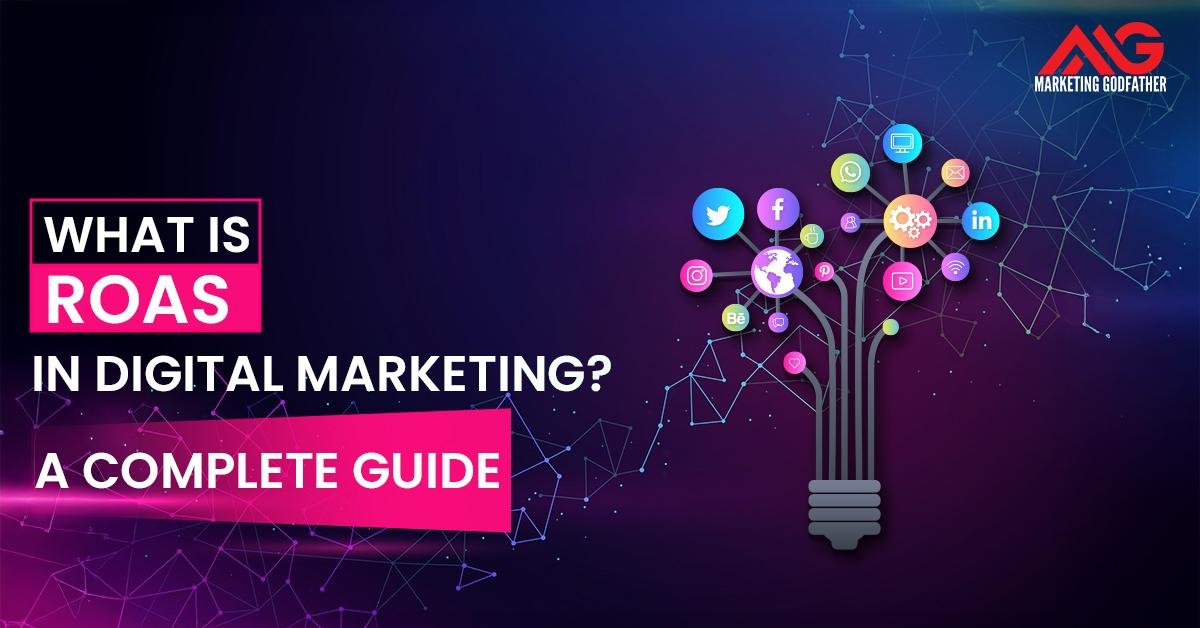
Digital marketing infographic showing “What Is ROAS?” with social media icons forming a lightbulb tree on a dark gradient background by Marketing Godfather.

ROAS in digital marketing stands as the single most critical performance indicator for advertising success. As a key financial digital marketing KPI, it directly measures the revenue generated for every dollar spent on campaigns, making it essential for proving value and justifying budget allocations. Understanding the ROAS meaning allows marketers to quickly identify which campaigns are profitable and which are not, enabling strategic real-time budget shifts to maximize return on ad spend and overall profitability.

What Is ROAS? Definition and Meaning

ROAS is a marketing metric digital marketing professionals use to assess the efficiency of an advertising investment. The ROAS definition is the amount of revenue gained for every unit of currency spent on advertising, expressed as a ratio or a percentage.

While ROI (Return on Investment) considers all costs (production, overhead, and ads), ROAS vs ROI is distinct because ROAS focuses only on the revenue generated relative to the advertising cost. This makes ROAS ideal for granular, campaign-specific evaluation, whereas ROI is better for overall business performance. ROAS provides an immediate, clean signal of profitability, allowing for quick decisions on scaling successful ads or pausing underperforming ones.

How to Calculate ROAS: Formula & Examples

The Basic ROAS Formula

The ROAS formula is straightforward and easy to apply across any channel:

ROAS = (Ad Revenue ÷ Ad Cost) × 100

The result can be presented as a ratio (e.g., 4:1) or a percentage (e.g., 400%).
A 4:1 ratio means you earned 4 units of revenue for every 1 unit spent.

Example Calculations Across Platforms

Facebook campaign – summer shoe collection:

  • Total Revenue from Ad: 10,000
  • Total Ad Spend: 2,500

ROAS = 10,000 ÷ 2,500 = 4 or 400%

Google Shopping campaign:

  • Total Revenue from Ad: 15,000
  • Total Ad Spend: 5,000

ROAS = 15,000 ÷ 5,000 = 3 or 300%

In this scenario, the first campaign, with a 400% digital ad ROAS, is more efficient than the second.

How to Interpret ROAS Ratios and Percentages?

  • 1:1 or 100%
    You are breaking even on ad costs alone. You still need to account for the cost of goods sold (COGS) and operations to determine actual profitability.
  • 2:1 or 200%
    You are generating 2 units of revenue for every 1 unit spent. This is the minimum target for many businesses, but true profitability often requires a higher ratio.
  • 4:1 or 400%+
    Frequently considered strong performance, providing enough margin to cover operational costs and yield profit.

What Is a Good ROAS? Benchmarks & Industry Averages 

Defining what is a good ROAS is highly context-dependent, but there are some common standards and benchmarks.

ROAS Benchmarks by Industry (E-commerce, SaaS, Apps)

While the general ideal is 4:1, average ROAS varies widely:

  • E-commerce:
    Due to high COGS and logistics, a minimum viable ROAS often starts around 3:1, with 5:1 being considered excellent.
  • SaaS (Subscription Services):
    ROAS is often measured on first-month revenue. A lower immediate ROAS (2:1 or 3:1) is acceptable because of high Customer Lifetime Value (CLV).
  • Apps/Games:
    ROAS by industry is tricky here. Teams often aim for profitability around day 7 or day 30, accepting a very low initial ROAS (even 1:1) if CLV projections are strong.

Factors That Affect What “Good” Means for You

The “goodness” of your ROAS is dictated by your company’s profit margins and operational costs:

  • High Margin Products:
    If your gross margin is 80%, a 2:1 ROAS might be highly profitable.
  • Low Margin Products:
    If your gross margin is 20%, you might require a 10:1 ROAS just to break even.

Setting Target ROAS for Your Campaigns

The best approach is to calculate your break-even ROAS and then set your target ROAS above that point based on desired profit margins. This break-even point is your non-negotiable floor.

For example, if your total cost to acquire a customer is 25% of the revenue, your target should be 4:1 or higher.

Key Factors That Influence ROAS in Digital Marketing 

A successful return on ad spend relies on optimizing the entire customer journey, not just the ad itself. Understanding the factors influencing ROAS is crucial to knowing how to improve ROAS.

Ad Creative and Messaging Quality

The creative heavily influences Cost Per Click (CPC) and Click-Through Rate (CTR). Highly relevant, engaging ads attract the right audience and lower costs, directly improving ROAS.

Audience Targeting and Channel Selection

Poor targeting is the fastest way to waste budget. Targeting the right audience with high purchase intent on the appropriate channel (for example, Google Shopping for high-intent searches, Meta for discovery) is a key digital marketing ROI factor.

Landing Page Performance & Conversion Rate

An amazing ad can be ruined by a slow, poorly designed landing page. The Conversion Rate (CVR) of your landing page is a direct multiplier on ROAS: if you double your CVR, you effectively double your ROAS with the same ad spend.

Product Pricing, Margins & Attribution Models

  • Pricing/Margins: Higher revenue or higher-margin products naturally make a higher ROAS easier to achieve.
  • Attribution Models: The model you use (First Click, Last Click, or Data-Driven) determines which touchpoint gets credit for the revenue, deeply influencing the reported ROAS for individual campaigns.

Strategies to Improve ROAS: Actionable Tips for Marketers

Implementing effective ROAS optimization strategies requires continuous testing and refinement.

Optimize Audiences & Channels

  • Tip: Focus 80% of your budget on your top 20% best-performing audiences and demographic segments.
  • Benefit: Reduces wasted spend on low-converting groups.
  • Expected Impact: 15–30% increase in ROAS.

A/B Test Creatives and Copy

  • Tip: Isolate one variable (headline, image, or call-to-action) at a time and test at least 3 variations weekly.
  • Benefit: Increases CTR and Quality Score, which lowers CPC.
  • Expected Impact: 10–20% increase in ad efficiency.

Improve Landing Pages & User Experience

  • Tip: Ensure mobile load speed is under 3 seconds and the CTA is clearly visible above the fold.
  • Benefit: Significantly raises Conversion Rate (CVR).
  • Expected Impact: 20–50% increase in CVR, directly boosting ROAS.

Use Retargeting & Higher Intention Audiences

  • Tip: Create campaigns specifically targeting cart abandoners and recent site visitors (who didn’t buy) with specific, high-urgency offers.
  • Benefit: These audiences have the highest purchase intent.
  • Expected Impact: ROAS of 6:1 or higher is common for this type of strategy.

Monitor & Refine Attribution & Tracking

  • Tip: Audit your tracking pixels and GA4 setup monthly to ensure all conversions are reported accurately.
  • Benefit: Prevents under-reporting of revenue, which masks true ROAS.
  • Expected Impact: Accurate data leads to better decision-making and optimal budget allocation.
Tip Benefit Expected Impact
Focus on 80/20 Audience Reduces wasted spend 15–30% ROAS increase
Improve Landing Page Speed Maximizes Conversion Rate 20–50% CVR increase
High-Intent Retargeting Captures ready-to-buy users Often 6:1+ return on ad spend
A/B Test Creatives Lowers CPC and increases CTR 10–20% efficiency boost

ROAS by Platform: What You Should Know 

Understanding the nuances of digital marketing platforms and their ROAS is key, as performance varies significantly based on user intent.

ROAS on Meta (Facebook & Instagram)

ROAS on Meta often starts lower than on search platforms because the audience is in “discovery mode.” They are not actively searching for your product. Campaigns here rely heavily on compelling creatives and smart audience segmentation. A good ROAS on Meta usually comes from scaling successful retargeting campaigns rather than from broad, top-of-funnel campaigns alone.

ROAS on Google Ads (Search, Display, Shopping)

ROAS on Google Ads (especially Search and Shopping) is typically higher because it captures high-intent users actively searching for a product or solution. Shopping campaigns, in particular, often achieve strong ROAS because users see the product image and price before clicking, which improves conversion quality.

ROAS on Emerging Platforms (TikTok, LinkedIn)

Platforms like TikTok have very low CPMs, enabling massive reach, but ROAS can be volatile due to a younger, less purchase-ready audience.

LinkedIn ROAS for B2B is judged differently: a lower immediate ROAS is acceptable if the ad generates high-value leads with strong CLV. You must adapt your expectations for platform ROAS comparison based on where the audience is in the funnel.

Common Mistakes That Lead to Low ROAS 

Avoid these key ROAS mistakes that frequently lead to poor campaign performance.

  • Poor Tracking and Attribution
    Using the wrong attribution window or having broken conversion tracking that fails to credit the ad with the revenue it generated. Example: A user converts 4 days after clicking, but tracking is set to 24 hours, making the campaign look unprofitable.
  • Wrong Campaign Objectives
    Running a “reach” or “traffic” campaign and expecting a high transactional ROAS. Your campaign objective must align with the desired outcome (purchases, leads, etc.).
  • Targeting the Wrong Audiences
    Blasting a generic ad to a broad audience without specific filters or interest groups. This common ROAS error maximizes spend and minimizes revenue.
  • Ignoring Post-Purchase Value or Lifetime Value (CLV)
    Only focusing on first-purchase ROAS and ignoring the potential for 5–10 future purchases. This is a critical pitfall for subscription and consumable-product businesses.

Tools & Metrics to Track ROAS Accurately 

Accurate ROAS tracking is essential for making informed, data-driven decisions.

Analytics Platforms (Google Analytics 4, Meta Ads Manager)

Platforms like GA4 and Meta Ads Manager provide the foundation for ROAS analytics. They track raw data, including cost and revenue, but rely on different attribution models, so cross-platform comparison is important.

Attribution & Funnel Tools (Triple Whale, Hyros, AppsFlyer)

These tools specialize in solving complex cross-channel and cross-device attribution. They offer a unified view, assigning credit more accurately across the entire marketing funnel, which is critical for understanding true ROAS.

Custom Dashboards and KPI Monitoring

Using a dedicated digital marketing dashboard (like Looker Studio or Power BI) allows you to blend data from all sources, creating custom metrics, charts, and alerts to monitor ROAS in real time against your target benchmarks.

Tool Main Feature Advantage for ROAS Tracking
GA4 Multi-channel data collection Free, flexible foundation for measurement
Meta Ads Manager Direct ad cost/revenue data Granular, in-platform optimization feedback
Triple Whale Unified attribution More accurate cross-channel ROAS calculation

Key Takeaways – Core Concepts of ROAS for Marketers 

Summary Checklist of ROAS Essentials

  • Know Your Floor: Calculate your exact break-even ROAS (must be > 1:1 to cover COGS).
  • Test the Funnel: ROAS is a product of ad quality and landing page quality. Test both.
  • Retargeting Power: Allocate budget to high-intent audiences for quick wins.
  • Attribution Audit: Verify your tracking is accurate across all major devices and channels.
  • Targeting Alignment: Match campaign objectives to your core digital marketing KPIs.

Action Plan: What to Do Next
Use these return on ad spend insights to audit your highest-spend campaign immediately and identify one audience and one creative element to test this week.

Conclusion – Mastering ROAS to Maximise Your Ad Spend 

Mastering ROAS is synonymous with achieving sustainable digital marketing success. By continuously analyzing the ratio of revenue to cost, you move beyond guesswork to strategic, profitable advertising. The conclusion is simple: make ROAS central to your strategy. When you combine accurate tracking, strong creative, optimized landing pages, and disciplined targeting, every advertising dollar works harder. This commitment to continuous testing, refined attribution, and smart budget optimization is the only path to consistently maximise ad spend and dominate your market.

Mobile Content Marketing That Drives Results

Mobile Content Marketing

In today’s mobile-first world, every scroll, tap, and swipe is a marketing opportunity. Mobile content marketing isn’t just about making your content fit smaller screens, it’s about creating experiences that move with your audience. From bite-sized videos to interactive stories and in-app engagement, brands that prioritize mobile-friendly content see stronger reach, higher engagement, and better conversion rates.

What Is Mobile Content Marketing?

Mobile content marketing is the practice of creating and distributing content specifically designed for mobile devices smartphones and tablets to attract, engage, and convert users on the go. It’s not just a resized version of desktop content; it’s a mobile-first approach that prioritizes fast loading, visual storytelling, and thumb-friendly navigation.

Why is Mobile Content Marketing important?

The modern consumer lives on their phone browsing social feeds, watching videos, reading blogs, or making purchases. This means your content must be designed to meet them there, in their natural environment. Mobile content marketing ensures your message is not just seen, but experienced in a way that feels natural and seamless.

Understanding Mobile User Behavior for Content Strategy

To craft content that performs well on mobile, you first need to understand how users behave on these devices. Mobile users scroll fast, multitask often, and expect instant gratification. Their attention spans are short, but their engagement can be deep if the content connects quickly and visually. 

1. How Mobile Users Consume Content?

Mobile users consume content differently they’re quick, visual, and driven by convenience. On smartphones, attention spans are shorter, so users prefer content they can scan, watch, or tap through instead of reading lengthy text.

  • Visual-first behavior
  • Vertical and immersive formats
  • Instant access and speed
  • Personalized discovery
  • On-the-go engagement

2. Key Trends in Mobile-First Content Engagement

Mobile-first content is no longer about just being responsive, it’s about being relevant, real-time, and rewarding.

  • Short-Form Video Dominance
  • Personalized Experiences
  • Interactive & Immersive Formats
  • Contextual Marketing
  • Snackable Content
  • Always-On Accessibility

3. Implications for Your Mobile Content Strategy

Every decision, from format to tone, should align with how people actually interact on their devices.

  • Prioritize mobile-first design
  • Lead with visuals
  • Keep messages concise
  • Focus on context
  • Personalize everything

Core Elements of a Mobile Content Strategy

A successful mobile content strategy goes beyond resizing visuals; it’s about designing an entire experience around the mobile user journey.

  • Mobile-Optimized Website & Landing Pages
  • Fast Loading & Clean Design
  • Engaging Content Formats
  • Personalization & Relevance
  • Clear Calls-to-Action (CTAs)
  • Consistency Across Channels

Mobile Content Distribution Channels That Work

Choosing the right distribution channels is the backbone of mobile content success. Even the best content can fail if it doesn’t reach users where they actually spend their time. 

  • Social Media Platforms: Channels like Instagram, and YouTube Shorts dominate mobile engagement. Short videos, reels, and carousels perform best here because they’re quick to consume and share.
  • Mobile Apps & Push Notifications: Personalized in-app messages and timely push notifications help brands stay top-of-mind, encouraging users to return or take action instantly.
  • Messaging Platforms (WhatsApp, Telegram, SMS): Direct communication builds intimacy and trust. Quick updates, offers, or exclusive content sent via these apps see high open and response rates.
  • Influencer & User-Generated Content (UGC): Collaborations with micro-influencers and campaigns encouraging UGC create authenticity and organic reach perfect for mobile audiences who value real voices.
  • Mobile-Friendly Email & Content Hubs: Responsive emails and AMP-enabled newsletters ensure your updates look sharp and load fast on any device.

Creating Mobile-Friendly Content That Converts

Creating content for mobile isn’t just about shrinking text or resizing visuals, it’s about designing an experience that feels natural, engaging, and effortless. Every element, from headline to call-to-action, should guide the user smoothly toward a desired action without friction.

  • Focus on clarity, not clutter: Use simple headlines, short paragraphs, and clean layouts. Mobile users should grasp your message within seconds of landing on your page or post.
  • Prioritize visual storytelling: Incorporate short-form videos, GIFs, and carousel graphics. Visuals hold attention longer than plain text, especially on fast-moving mobile feeds.
  • Optimize CTAs for taps: Make your buttons bold, large enough for thumbs, and positioned where users naturally pause while scrolling.
  • Speed is everything: Compress media, use lazy loading, and keep your site under 3-second load time. The faster your page, the higher your conversion rate.
  • Personalize content: Use behavioral triggers, dynamic product recommendations, or location-based offers to make users feel understood and valued.
  • Design for vertical flow: Ensure your text, visuals, and CTAs align in a single-column, vertical layout easy to scroll, easy to act.

Measuring the Impact of Mobile Content Marketing

Measuring impact isn’t just about counting likes or views; it’s about understanding how your content drives real user actions, engagement, and conversions.

  • Track the right metrics: Go beyond vanity numbers. Focus on data that reflects user intent and performance such as click-through rates (CTR), average session duration, bounce rate, retention rate, and conversion percentage.
  • Measure mobile engagement specifically: Tools like Google Analytics 4, Mixpanel, and Firebase can separate mobile traffic from desktop, helping you see how users behave across devices.
  • Attribute conversions correctly: Mobile users often interact across multiple touchpoints a reel view today might lead to a purchase tomorrow. Use UTM tracking and multi-touch attribution to capture the full picture.
  • A/B test your content: Experiment with different formats, CTA placements, or video lengths to see what performs best with your audience. Small tweaks can make big differences in mobile engagement.
  • Evaluate ROI: Compare your content investment (ad spend, production cost) against measurable returns like app installs, form fills, or sales generated.

The Future of Mobile Content Marketing

The future of mobile content marketing is intelligent, immersive, and deeply personalized. As technology evolves, so do audience expectations and brands that adapt early will lead the next wave of digital engagement.

  • AI-Powered Personalization: Artificial intelligence will make mobile content smarter from predicting what users want to see next, to customizing experiences in real time. Expect hyper-personalized recommendations, automated storytelling, and data-driven content creation.
  • AR & VR Integration: Augmented and virtual reality are turning mobile screens into experiential spaces. Imagine trying products virtually or walking through a digital showroom all from your phone.
  • Voice and Conversational Content: With the rise of smart assistants, voice-driven searches and audio-first content will become key to discoverability. Brands that optimize for voice commands will have a competitive edge.
  • 5G & Enhanced Interactivity: Faster mobile internet means richer experiences, ultra-HD videos, live interactive events, and real-time user participation without lag.
  • Sustainable and Purpose-Driven Storytelling: Future audiences will prefer brands that balance entertainment with authenticity and ethics content that informs, inspires, and drives positive change.

Conclusion

Mobile content marketing is no longer a supporting act, it’s the main stage where brands and audiences meet. In a world where attention spans are shrinking and mobile usage keeps rising, the brands that win are those that adapt, simplify, and personalize every touchpoint. The future belongs to marketers who treat mobile not as a device, but as a behavioral ecosystem that connects people, content, and action seamlessly.

Top 20 Virtual Assistant Tools to Simplify Your Tasks

Top 20 Virtual Assistant Tools to Simplify Your Tasks

In today’s fast-paced digital world, managing your work, emails, meetings, and daily tasks can feel overwhelming. That’s where virtual assistant tools step in, your AI-powered helpers designed to take care of repetitive tasks, organise your schedule, and boost your productivity effortlessly.

What Are Virtual Assistant Tools?

Virtual assistant tools are software applications or AI-powered platforms designed to automate, manage, and simplify everyday tasks. They act like digital helpers scheduling meetings, sending reminders, writing content, managing emails, and even handling customer interactions so you can save time and focus on strategic work.

Top 20 Virtual Assistant Tools 

Finding the right virtual assistant tool can transform how you manage your time, communication, and workflow. 

1. ChatGPT 

Developed by OpenAI, ChatGPT is an AI-powered conversational assistant designed to simplify writing, research, coding, brainstorming, and even communication tasks. It acts as a smart virtual coworker, understanding context, generating ideas, and helping users automate everyday writing and thinking processes.

Key Features:

  • AI-powered conversational assistant for writing, summarising, brainstorming, coding help, etc.
  • Uploads & image generation (in higher tiers) for more than just text.
  • Projects and custom GPTs (in advanced plans) for specialised tasks.
  • Multi-model support (e.g., GPT-5) for deeper reasoning.

Pricing / Free Limit:

  • Free tier: $0/0/month with limited messages/uploads, Plus tier: $20/month for more access, and Pro tier: $200/month (for heavy or business use).

2. Grammarly

Grammarly is one of the most popular AI-powered writing assistants designed to enhance clarity, accuracy, and tone across your written communication. Acting as a virtual proofreader, it helps automate editing, rewriting, and style improvement for emails, blogs, reports, or social posts, saving valuable time while maintaining professional polish.

Key Features:

  • AI Grammar & Spelling Check: Detects and corrects grammatical, punctuation, and spelling errors in real time.
  • Tone & Style Adjustment: Suggests phrasing changes to suit formal, casual, or persuasive tones.
  • Clarity and Readability Enhancer: Simplifies long sentences and improves flow for better comprehension.
  • Plagiarism Detection: Scans billions of pages to ensure originality in academic and professional writing.
  • Cross-Platform Integration: Works on browsers, MS Word, Google Docs, Slack, and even mobile keyboards.
  • Generative AI Rewrites: Suggests entire sentence or paragraph rewrites for improved impact (Premium feature).

Pricing & Free Usage:

  • Free Plan: Covers grammar, spelling, and punctuation correction.
  • Premium Plan: Starts at $12/month (annual billing) and includes advanced tone, clarity, and plagiarism checks.
  • Business Plan: Around $15/user/month offers analytics and team performance insights.
  • Free Usage Limit: Unlimited corrections on basic writing checks.

3. Google Meet 

Google Meet is Google’s official video conferencing and collaboration platform, seamlessly integrated within the Google Workspace ecosystem. It acts as a virtual communication assistant, automating scheduling, meeting reminders, and participant management, making remote collaboration fast, secure, and efficient.

Key Features:

  • Intelligent Scheduling: Automatically syncs with Google Calendar to create, manage, and remind you of upcoming meetings.
  • AI-Powered Captions & Noise Cancellation: Real-time subtitles and background noise reduction for more transparent communication.
  • Recording & Transcription: Paid users can record meetings and access AI-generated summaries.
  • Multi-Device Access: Join or host meetings from desktops, tablets, or mobile devices.
  • Live Collaboration: Integrates with Docs, Sheets, and Slides, allowing participants to collaborate during meetings.
  • Security & Privacy: Encrypted connections and two-step authentication for enhanced meeting safety.

Pricing & Free Usage:

  • Free Plan: Up to 100 participants and Meeting duration up to 60 minutes
  • Business Starter: $6/user/month, longer meetings (up to 24 hours), and 30 GB cloud storage.
  • Business Standard: $12/user/month, 150 participants, and meeting recording options.
  • Free Usage Limit: Unlimited 1:1 meetings; 60-minute group call limit.

4. Amazon Alexa

Amazon Alexa is a voice-activated virtual assistant developed by Amazon, designed to make everyday tasks hands-free and automated. From managing schedules to controlling smart devices, Alexa uses natural language processing to understand commands and execute them instantly, acting as your personal digital helper at home or work.

Key Features:

  • Voice Command Automation: Set reminders, alarms, and timers or send quick messages using simple voice prompts.
  • Smart Home Integration: Controls lights, thermostats, and appliances through connected devices.
  • Calendar & Task Management: Syncs with Google, Outlook, and Apple calendars to schedule meetings and events.
  • Skills Library: Access 100,000+ third-party skills for productivity, shopping, or entertainment.
  • Custom Routines: Automate daily sequences like Good Morning playing the news, adjusting lights, and reading reminders.
  • Alexa for Business: Integrates with office systems for voice-controlled conferencing and workplace automation.

Pricing & Free Usage:

  • Complimentary Access: Included with any Alexa-enabled device (Echo, Fire TV, etc.).
  • Alexa+ Plan: $19.99/month (introduces advanced AI features like personalised recommendations and deeper conversational responses).
  • Free Usage Limit: Unlimited standard voice commands and automations.

5. Microsoft Cortana

Microsoft Cortana is an AI-powered virtual assistant developed by Microsoft, designed to integrate seamlessly with the Windows and Microsoft 365 ecosystem. Although its standalone app has been discontinued, Cortana remains embedded in Microsoft’s productivity tools, helping automate scheduling, reminders, and essential task management for professionals.

Key Features:

  • Calendar & Scheduling Integration: Automatically creates and manages calendar events through Outlook.
  • Voice Commands: Enables hands-free control of Windows features, such as opening apps, setting reminders, or searching files.
  • Productivity Insights: Works with Microsoft 365 to suggest focus times, remind you of pending tasks, and summarize meetings.
  • Email Management: Reads and drafts emails using natural language understanding within Outlook.
  • Task Reminders: Syncs with Microsoft To-Do and Teams to keep track of pending work and deadlines.
  • Cross-Device Access: Operates across PCs, tablets, and mobile (via Outlook integration).

Pricing & Free Usage:

  • Included Free: Pre-installed in Windows 10 and integrated with Microsoft 365.
  • No Separate Subscription: Available automatically with Microsoft 365 license.
  • Free Usage Limit: Unlimited use within supported Windows and Microsoft applications.

6. Canva

Canva is an AI-assisted design and content creation platform that simplifies visual communication for individuals, marketers, and teams. Acting as a virtual design assistant, Canva automates repetitive design tasks from resizing visuals to scheduling social media posts allowing you to create professional graphics in minutes without needing design expertise.

Key Features:

  • AI-Powered Design Assistant: Suggests templates, color palettes, and layout adjustments automatically.
  • Magic Studio Tools: Includes Magic Write (AI text generator), Magic Edit, and Magic Design for faster content creation.
  • Social Media Automation: Schedule and publish posts across multiple platforms directly from Canva.
  • Brand Kit Management: Automatically applies your logo, brand colors, and fonts across all designs.
  • Collaborative Workspaces: Real-time editing for teams with integrated feedback and version history.
  • Wide Template Library: 250,000+ templates for presentations, posters, videos, and social posts.

Pricing & Free Usage:

  • Free Plan: Access to basic templates, 5GB cloud storage, and limited features.
  • Pro Plan: $12.99/month or $119.99/year includes premium templates, AI tools, and brand kits.
  • Enterprise Plan: Custom pricing for advanced team workflows.
  • Free Usage Limit: Unlimited access to basic tools and select templates.

7. Zoom

Zoom is one of the world’s leading video conferencing platforms, widely used for meetings, webinars, and team collaboration. Acting as a virtual meeting assistant, it automates everything from scheduling sessions to generating transcripts and AI summaries helping professionals save time and stay organized in remote or hybrid setups.

Key Features:

  • Smart Scheduling & Calendar Sync: Integrates with Google and Outlook calendars to auto-schedule and remind participants.
  • AI Meeting Summary (Zoom AI Companion): Automatically records, transcribes, and summarizes discussions.
  • Recurring Meetings & Templates: Automate recurring sessions with pre-set formats and invite lists.
  • Breakout Rooms & Collaboration Tools: Simplifies group discussions, polls, and file sharing.
  • Recording & Cloud Storage: Securely stores recordings for easy reference.
  • Cross-Platform Access: Join meetings seamlessly from desktop, mobile, or browser.

Pricing & Free Usage:

  • Free Plan: Up to 100 participants and 40-minute limit on group meetings
  • Pro Plan: $13.33/user/month unlimited meeting duration, cloud storage, and AI companion access.
  • Business Plan: $18.32/user/month up to 300 participants and advanced admin controls.
  • Free Usage Limit: Unlimited 1:1 meetings with time restrictions for group calls.

8. Slack

Slack is a cloud-based communication and collaboration tool designed to streamline workflows, automate notifications, and centralize team discussions. It functions as a virtual office assistant, replacing scattered emails and manual updates with smart, automated messaging and task tracking.

Key Features:

  • Workflow Automation (Slackbot): Automates routine tasks like reminders, onboarding messages, and status updates.
  • App Integrations: Connects with 2,000+ tools like Google Drive, Trello, Asana, and Zapier to automate workflows.
  • Channels for Teams: Organizes communication by projects, topics, or departments.
  • Custom Alerts & Notifications: Automatically notifies team members about mentions, deadlines, or file updates.
  • AI-Powered Search: Quickly finds old messages, files, or links using smart filters.
  • Voice & Video Huddles: Allows spontaneous calls and screen sharing directly within chat threads.

Pricing & Free Usage:

  • Free Plan: Limited to 90 days of message history, 10 integrations, and 1:1 voice and video calls
  • Pro Plan: $7.25/user/month unlimited message history and integrations.
  • Business+ Plan: $12.50/user/month includes advanced automation and SSO (Single Sign-On).
  • Free Usage Limit: Unlimited team members with limited storage and search features.

9. Trello

Trello is a visual project management and task organization tool built on a simple yet powerful Kanban board system. It acts as a virtual project assistant, automating repetitive workflows, tracking progress, and keeping team members aligned without constant manual check-ins.

Key Features:

  • Kanban Board Automation: Organize tasks as “cards” that move across stages (To-Do → Doing → Done).
  • Butler Automation: Built-in automation that triggers actions such as moving cards, sending notifications, or setting due dates automatically.
  • Integrations (Power-Ups): Connects with Slack, Google Drive, Jira, and more for seamless workflow automation.
  • Custom Rules & Commands: Automate repetitive admin tasks like card assignments and status updates.
  • Calendar & Timeline Views: Visualize deadlines and task dependencies effortlessly.
  • Team Collaboration: Assign members, track activity logs, and add checklists for real-time coordination.

Pricing & Free Usage:

  • Free Plan: Unlimited cards and members, Up to 10 boards per workspace, and Basic automation via Butler
  • Standard Plan: $5/user/month unlimited boards and advanced checklists.
  • Premium Plan: $10/user/month includes calendar, timeline, and advanced automations.
  • Enterprise Plan: Custom pricing for large organizations.
  • Free Usage Limit: Core functionality available with limited board count and automation actions.

10. Zapier

Zapier is a powerful automation platform that connects over 8,000+ apps to streamline workflows and eliminate manual work. It acts as a bridge between tools, allowing users to automate tasks like email alerts, data transfers, and CRM updates all without a single line of code.

Key Features:

  • Multi-App Workflow Automation (Zaps): Create automated sequences (e.g., “When a new lead is added in Google Sheets → send a Slack message → update CRM”).
  • Conditional Logic: Build smart workflows that adapt based on data or trigger conditions.
  • Custom Integrations: Connects apps like Gmail, Notion, Trello, Slack, Salesforce, HubSpot, and more.
  • Task History & Logs: Monitor and track automation performance in real time.
  • AI-Powered Builder: Suggests and creates workflows automatically using natural language prompts.
  • Scalable for Teams: Supports collaborative automation for businesses of all sizes

Pricing & Free Usage:

  • Free Plan: Up to 100 tasks/month, and  5 single-step Zaps
  • Starter Plan: $19.99/month up to 750 tasks and multi-step automations.
  • Professional Plan: $49/month advanced features and unlimited Zaps.
  • Team/Company Plans: $69–$103/month per user for collaboration and premium app integrations.
  • Free Usage Limit: Basic automations available with limited monthly task count.

11. Notion

Notion is an all-in-one workspace that combines notes, documents, databases, and task management making it a powerful virtual assistant for productivity and knowledge management. Its flexibility allows users to automate content organization, workflow tracking, and even AI-assisted writing all within a single platform.

Key Features:

  • Unified Workspace: Combines notes, tasks, wikis, and databases in one place for better organization.
  • Notion AI: Automates writing, summarizing, brainstorming, and task management using generative AI.
  • Database Automation: Automatically updates project progress, deadlines, and statuses using relational properties.
  • Templates & Integrations: Prebuilt templates for project tracking, CRM, and content planning integrated with Slack, Zapier, and Google Drive.
  • Collaboration Tools: Real-time editing, comments, and mentions streamline team communication.
  • Cross-Platform Sync: Access seamlessly across web, desktop, and mobile devices.

Pricing & Free Usage:

  • Free Plan: Unlimited pages and blocks for personal use, and Basic collaboration tools.
  • Plus Plan: $10/user/month (annual billing) unlimited uploads and version history.
  • Business Plan: $15/user/month advanced permissions and admin controls.
  • Enterprise Plan: Custom pricing for large organizations.
  • Free Usage Limit: Full access for individual users with limited file uploads (5MB per file).

12. Reclaim.ai

Reclaim.ai is an AI-powered smart scheduling assistant built to help professionals automatically organize their calendars, manage tasks, and protect focus time. It acts like a personal productivity manager that learns your habits, priorities, and deadlines then adjusts your schedule dynamically to maximize efficiency.

Key Features:

  • Smart Scheduling: Automatically finds optimal times for tasks, meetings, and routines without conflicts.
  • Focus Time Protection: Blocks out dedicated hours for deep work and automatically reschedules when meetings overlap.
  • Habit & Task Automation: Reclaim reserves recurring time for personal goals (like workouts or reading) based on availability.
  • Calendar Sync: Integrates with Google Calendar, Asana, Todoist, Slack, and ClickUp to centralize time management.
  • Analytics Dashboard: Provides insights into how your time is distributed across meetings, tasks, and focus work.
  • AI Prioritization: Adjusts your schedule in real time based on deadlines and shifting priorities.

Pricing & Free Usage:

  • Free Plan (Lite): 1 user, 1 scheduling link, and Unlimited smart tasks and habits
  • Starter Plan: $8/user/month adds advanced analytics and multiple calendars.
  • Business Plan: $12/user/month collaboration, team analytics, and shared scheduling rules.
  • Enterprise Plan: Custom pricing.
  • Free Usage Limit: Single calendar connection and limited automation actions.

13. Motion

Motion is an AI-powered productivity assistant that automatically plans your day, prioritizes tasks, and schedules meetings all without manual input. It’s like having a virtual executive assistant that constantly reorganizes your calendar to make sure you stay on track, even when unexpected events arise.

Key Features:

  • AI Auto-Scheduler: Dynamically creates and updates your daily schedule based on task urgency, duration, and deadlines.
  • Task Management Integration: Syncs with tools like Asana, ClickUp, and Google Calendar to consolidate all tasks in one view.
  • Meeting Automation: Automatically finds optimal time slots for meetings and reschedules conflicts instantly.
  • Priority-Based Planning: Reorders tasks in real time as priorities change, ensuring you always focus on what matters most.
  • Team Collaboration: Allows shared calendars, task visibility, and auto-assigned priorities for teams.
  • Focus Mode: Helps maintain productivity by blocking out deep work periods.

Pricing & Free Usage:

  • Free Trial: 7 days with full access to all features.
  • Individual Plan: $19/month (billed annually) includes smart scheduling and AI task management.
  • Team Plan: $29/user/month adds collaboration tools and performance analytics.
  • Enterprise: Custom pricing for large organizations.
  • Free Usage Limit: Trial period only (7 days).

14. Taskade

Taskade is an AI-driven collaboration and productivity platform that transforms the way teams brainstorm, plan, and execute projects. It functions as a virtual task automation assistant, combining task management, mind mapping, and AI-powered content generation all within a single workspace.

Key Features:

  • AI-Powered Task Management: Automatically organizes, prioritizes, and suggests tasks using built-in AI features.
  • Mind Maps & Outlines: Visualize projects and ideas using dynamic mind maps and hierarchical lists.
  • Real-Time Collaboration: Chat, video conference, and co-edit tasks live with your team.
  • Automation & Templates: Access ready-made templates for meeting notes, project planning, or workflows to save time.
  • Cross-Platform Sync: Works seamlessly across desktop, mobile, and browser extensions.
  • AI Assistant (Pro Feature): Generates content, rewrites messages, and summarizes meeting discussions.

Pricing & Free Usage:

  • Free Plan: Unlimited projects and tasks, Up to 3 members per workspace, and Basic templates and limited AI access
  • Pro Plan: $20/month includes unlimited AI credits, advanced templates, and automations.
  • Business Plan: $40/month priority support and custom integrations.
  • Free Usage Limit: Core task and collaboration features available with limited AI actions.

15. Hootsuite


Hootsuite is one of the most trusted social media management platforms, designed to automate content scheduling, monitoring, and analytics across multiple social networks. Acting as a virtual social media assistant, it helps businesses maintain consistent online presence, track engagement, and manage campaigns all from one dashboard.

Key Features:

  • Automated Post Scheduling: Plan and publish posts across platforms like Instagram, LinkedIn, Facebook, and X (Twitter).
  • AI Caption Generator: Suggests engaging captions and hashtags for better social performance.
  • Content Calendar: Visual dashboard to organize upcoming posts, campaigns, and collaborations.
  • Social Listening: Monitors mentions, keywords, and hashtags to help brands respond faster.
  • Analytics & Reports: Provides detailed engagement insights and ROI metrics for performance evaluation.
  • Team Collaboration: Assign roles, approve posts, and manage content workflows across multiple accounts.

Pricing & Free Usage:

  • Free Trial: 30 days of full access to premium features.
  • Professional Plan: $99/month manage up to 10 social profiles.
  • Team Plan: $249/month includes collaboration tools and analytics.
  • Business Plan: $739/month for larger teams with bulk scheduling and advanced analytics.
  • Free Usage Limit: No permanent free plan (trial access only).

16. Asana

Asana is a robust project and task management platform designed to help teams organize, track, and automate work efficiently. Acting as a virtual project coordinator, it streamlines collaboration, automates repetitive workflows, and ensures every task stays aligned with business goals making it an essential tool for productivity-driven teams.

Key Features:

  • Workflow Automation: Automate task assignments, recurring projects, and deadline reminders using Asana Rules.
  • Project Templates: Prebuilt automation templates for product launches, marketing campaigns, and agile sprints.
  • Timeline & Calendar Views: Visually track progress and dependencies across multiple teams.
  • Goal & Milestone Tracking: Align daily work with quarterly or yearly objectives through progress dashboards.
  • App Integrations: Connects with Slack, Zoom, Gmail, and 200+ tools to centralize team communication.
  • AI Work Assistant: Suggests task prioritization, deadline optimization, and summary insights (available in premium tiers).

Pricing & Free Usage:

  • Free Plan: Up to 10 users, Basic task lists, boards, and unlimited projects
  • Starter Plan: $10.99/user/month includes timeline view and automation rules.
  • Advanced Plan: $24.99/user/month adds AI insights, reporting, and advanced customization.
  • Enterprise Plan: Custom pricing for large-scale organizations.
  • Free Usage Limit: Core project management functions available with limited automations.

17. Buffer

Buffer is a lightweight and user-friendly social media automation tool that helps individuals and businesses plan, schedule, and analyze their social media content. It functions as a virtual posting assistant, ensuring your brand stays consistent and active online even when you’re offline.

Key Features:

  • Automated Scheduling: Schedule posts for multiple platforms (Instagram, LinkedIn, Facebook, X, Pinterest) in advance.
  • AI Assistant: Suggests post ideas, captions, and hashtags to boost engagement and save time.
  • Content Calendar: Visual overview of all upcoming posts for better campaign planning.
  • Analytics & Insights: Tracks engagement, reach, and follower growth with detailed reports.
  • Team Collaboration: Assign roles, review drafts, and approve posts across team members.
  • Link Management: Built-in link shortener and tracking tool (Buffer Start Page) for better campaign performance.

Pricing & Free Usage:

  • Free Plan: Manage up to 3 social channels, and Schedule up to 10 posts per channel
  • Essentials Plan: $6/month per channel includes analytics and engagement tools.
  • Team Plan: $12/month per channel adds collaboration and workflow management.
  • Agency Plan: $120/month manage up to 10 channels with advanced analytics.
  • Free Usage Limit: Basic posting and scheduling for limited profiles.

18. Todoist

Todoist is a powerful task management app designed to help individuals and teams stay organized and productive. Acting as a virtual to-do list assistant, it automates task scheduling, reminders, and priority management, ensuring you never miss a deadline or forget an important responsibility.

Key Features:

  • Smart Task Automation: Automatically schedules and prioritizes tasks using natural language input (e.g., “every Monday at 9 AM”).
  • Recurring Tasks & Reminders: Creates repetitive task loops and sends reminders at optimal times.
  • AI-Powered Quick Add: Recognizes intent and deadlines as you type — no manual setup needed.
  • Labels, Filters & Projects: Automatically organizes tasks into categories and themes.
  • Productivity Tracking: Generates progress reports, daily goal streaks, and visual productivity charts.
  • Cross-Platform Sync: Works across web, desktop, mobile, and browser extensions for seamless accessibility.

Pricing & Free Usage:

  • Free Plan: Up to 5 active projects, and  Task reminders and subtasks included
  • Pro Plan: $4/month unlimited projects, reminders, and labels.
  • Business Plan: $6/user/month adds team collaboration, admin controls, and activity logs.
  • Free Usage Limit: Basic task tracking and recurring reminders with limited projects.

19. Clickup


ClickUp is an all-in-one project management and productivity platform that acts as a virtual operations assistant, streamlining everything from goal tracking to workflow automation. 

Key Features:

  • Automation Engine: Automatically assigns tasks, updates statuses, and sends reminders based on custom triggers.
  • ClickUp Brain (AI Assistant): Generates summaries, meeting notes, and task briefs while answering project-related queries instantly.
  • Custom Dashboards: Automatically visualize workload, performance, and progress metrics for teams and individuals.
  • Goal & OKR Tracking: Links daily tasks to measurable business outcomes, promoting accountability and alignment.
  • Task Dependencies: Ensures proper sequencing by automatically updating dependent tasks when one changes.
  • Integrations: Connects with over 1,000 tools like Google Drive, Slack, Zoom, and HubSpo.

Pricing & Free Usage:

  • Free Forever Plan: Unlimited tasks and users, and Limited dashboards and 100MB storage
  • Unlimited Plan: $7/user/month adds unlimited dashboards, integrations, and advanced reporting.
  • Business Plan: $12/user/month includes advanced automations, time tracking, and goal management.
  • Enterprise Plan: Custom pricing with enhanced security and permissions.
  • Free Usage Limit: Full access to core task management with limited automation and storage.

20. Dropbox

Dropbox is one of the most popular cloud storage and file management tools, functioning as a virtual file assistant that automates syncing, sharing, and backup processes. It ensures your data stays safe, organized, and accessible across all devices while reducing manual file-handling tasks.

Key Features:

  • Automatic File Syncing: Instantly updates files across all connected devices no manual uploads required.
  • Smart Backup: Automatically backs up desktop folders, external drives, and mobile photos.
  • File Recovery & Version History: Keeps previous file versions for 30–180 days (based on plan), allowing easy rollback.
  • Shared Workspaces: Streamlines collaboration by syncing updates for teams in real time.
  • Dropbox Capture & Sign: Automates screen recording, document signing, and sharing workflows.
  • Security & Encryption: AES-256 encryption with multi-factor authentication for data protection.

Pricing & Free Usage:

  • Free Plan (Basic): 2 GB storage, and File sync and sharing across up to 3 devices
  • Plus Plan: $9.99/month 2 TB storage, smart sync, and offline access.
  • Professional Plan: $16.58/month 3 TB storage, file recovery, and advanced sharing permissions.
  • Team & Business Plans: Custom pricing for collaboration and admin tools.
  • Free Usage Limit: 2 GB of storage with standard file syncing and link sharing.

How Virtual Assistant Tools Can Simplify Your Tasks?

The beauty of virtual assistant tools lies in their ability to remove the clutter from your workday. They handle the repetitive, time-consuming tasks so you can stay focused on the ones that actually matter. 

  • Automate Repetitive Tasks: Tools like Zapier or Reclaim.ai automate actions such as data entry, report generation, and reminders. No more wasting hours on manual work.
  • Streamline Scheduling and Communication: Assistants like Clara Labs or Google Assistant manage your calendar, book meetings, and even send follow-up emails reducing back-and-forth communication.
  • Organize and Prioritize Work: Platforms such as ClickUp AI or Todoist use smart task sorting and reminders to keep your to-do list clean and structured.
  • Enhance Decision-Making: AI assistants like ChatGPT or Notion AI analyze information, summarize documents, and help you draft quick responses or reports.
  • Boost Team Collaboration: Integrated tools (like Trello or Motion) ensure everyone stays aligned, reducing friction between departments or team members.

Top 5 Benefits of Using Virtual Assistant Tools

Virtual assistant tools have become indispensable in today’s fast-paced digital landscape. They not only save time but also help individuals and businesses work smarter, not harder. Here are the top five benefits of integrating these tools into your daily workflow:

1. Automate Repetitive Tasks

One of the biggest advantages of virtual assistant tools is their ability to handle routine and repetitive tasks automatically. From scheduling meetings to sending emails or reminders, these assistants free you from manual effort. Tools like Zapier, Todoist, and Reclaim.ai ensure that essential yet time-consuming actions happen in the background allowing you to focus on high-value activities.

2. Boost Productivity and Efficiency

With tools like Motion and ClickUp, productivity skyrockets as AI helps prioritize tasks, manage deadlines, and eliminate distractions. These assistants intelligently organize your day, ensuring every minute is used effectively. Whether it’s automating follow-ups or tracking goals, you’ll complete more in less time without burning out.

3. Enhance Communication and Collaboration

Collaboration tools such as Slack, Google Meet, and Trello simplify communication by keeping teams connected and projects transparent. Automated notifications, smart scheduling, and shared dashboards ensure everyone stays on the same page  no more endless email chains or missed updates.

4. Improve Accuracy and Consistency

Virtual assistants like Grammarly, ChatGPT, and Notion AI ensure your work remains polished and consistent. They minimize human error by proofreading, optimizing writing tone, or organizing notes and data automatically. This consistent accuracy helps maintain professional quality in everything you create or deliver.

5. Save Time and Reduce Stress

By automating low-priority tasks, virtual assistant tools drastically reduce mental clutter and workload. AI assistants like Alexa or Reclaim.ai take care of reminders, scheduling, and routine communication allowing you to focus on creativity, decision-making, and strategic growth instead of repetitive chores.

The Future of Virtual Assistant Technology

The next generation of virtual assistant technology is evolving rapidly, moving far beyond simple task automation into a future driven by artificial intelligence (AI), machine learning (ML), and natural language understanding (NLU)

  • Rise of AI-powered assistants and automation ecosystems
  • Integration with IoT and workplace systems
  • Increased personalization using machine learning
  • Virtual assistants as digital coworkers in hybrid workplaces

Conclusion

In a world where time is your most valuable resource, virtual assistant tools act as digital partners that simplify your workflow, improve organization, and enhance productivity. Whether it’s automating repetitive tasks with Zapier, managing projects with ClickUp or Asana, or creating content effortlessly through ChatGPT and Canva, these tools collectively help you work smarter not harder.

10 Best Onsite SEO Service Tips to Rank Higher

Onsite SEO Service Tips

Want to boost your website’s visibility and climb higher on Google’s results? Onsite SEO Service Tips hold the key to unlocking better rankings. These strategies fine-tune every element within your website from meta tags to page speed helping search engines understand, rank, and trust your content. In this guide, you’ll discover ten proven Onsite SEO Service Tips that can dramatically improve your Site’s ranking, visibility, and overall user experience.

1. Optimize Title Tags and Meta Descriptions

Your title tag and meta description are the first things users and search engines notice. A well-optimised title tag should be short (under 60 characters), include your primary keyword, and clearly reflect what the page offers. The meta description, on the other hand, is your ad copy within Google’s results. Keep it around 150–155 characters, summarise the content naturally, and include a call to action or value promise something. 

2. Focus on Header Tag Structure (H1, H2, H3)

Start with a single H1 that defines the page’s main topic. This is your primary heading; it should include your main keyword and clearly tell users what the page is about. Then use H2 tags to break your content into major sections, each focusing on a subtopic or related keyword. Within those, use H3 tags for supporting points or detailed explanations.

3. Improve Website Loading Speed

In today’s fast-paced digital world, speed is a ranking signal, and even a one-second delay can cost you both visitors and conversions. When your website loads quickly, it doesn’t just make users happy; it also sends a strong positive signal to Google’s Core Web Vitals, directly influencing your SEO performance.

4. Use SEO-Friendly URL Structures

A clean, keyword-rich URL does more than look professional; it helps both users and search engines understand what your page is about instantly. SEO-friendly URLs improve crawlability, click-through rates, and overall ranking potential by clearly communicating a page’s topic.

5. Optimize Images with Alt Text and Compression

Images play a huge role in engaging visitors, but if not optimised properly, they can slow down your website and hurt SEO performance. Search engines can’t “see” images; they rely on alt text to understand what each image represents. That’s why optimising images with descriptive text and compression is a vital on-site SEO step.

6. Create High-Quality, Keyword-Optimized Content

Using high-quality content bridges the gap between user intent and SEO performance. When your writing feels authentic, useful, and well-optimised, both readers and algorithms take notice, and your rankings climb naturally. Place your primary keyword in the title, first paragraph, and at least one subheading. Then sprinkle semantic variations (LSI keywords) throughout the content to improve topical depth and search relevance.

7. Implement Internal Linking Strategically

Internal linking is like building roads within your website; it helps both users and search engines navigate smoothly. When used strategically, it improves crawl efficiency, strengthens page authority, and guides visitors to relevant content that keeps them engaged longer. Start by identifying high-authority pages on your Site that already rank well or attract good traffic.

8. Enhance Mobile-Friendliness and Responsive Design

Mobile-friendliness is no longer optional; it’s a core onsite SEO factor. Google’s mobile-first indexing means the search engine primarily uses your site’s mobile version to determine rankings, making responsive design a must-have for success. When visitors enjoy seamless browsing on their phones, Google rewards your Site with better visibility and higher search rankings.

9. Optimize for User Experience (UX) and Dwell Time

Search engines have become smarter; they no longer rank pages just for having the right keywords, but for how users interact with those pages. A great user experience (UX) leads to dwell time, lower bounce rates, and higher engagement, all powerful signals that tell Google your content is valuable. When users find your website enjoyable, helpful, and effortless to explore, they stay longer, and that sends Google one clear message: your content deserves to rank higher.

10. Regularly Audit and Update Onsite Elements

Search algorithms evolve, competitors update their strategies, and user expectations change, which means your website can’t stay static. Regular onsite SEO audits are essential to ensure your Site continues performing at its best. These audits help uncover technical issues, content gaps, and optimisation opportunities that directly affect rankings.

Top 10 Digital Marketing Agencies

Digital Marketing Agency Services
Cynextgen  Website Design, SEO, Social Media Marketing, Performance Marketing 
iProspect India Search Marketing, Performance Marketing, Analytics, Paid Media
WATConsult Digital Strategy, Influencer Marketing, Social Media Management
Pinstorm SEO, PPC, Social Media Optimization, Digital Branding
Mirum India Web Development, SEO, CRM Solutions, Marketing Automation
Foxymoron Creative Campaigns, Video Marketing, Influencer Collaborations
BC Web Wise Web Design, SEO, Online Advertising, Content Creation
Gozoop Brand Strategy, ORM, Performance Marketing, Social Media
Social Beat 360° Digital Marketing, E-commerce Growth, SEO, Performance Ads
Ethinos Search Engine Marketing, Social Media, Email Marketing, Analytics

Conclusion: Onsite SEO Is the Foundation of Long-Term Success

On-site SEO isn’t a one-time setup; it’s an ongoing process that shapes how your website grows and performs over time. Every optimisation you make, from improving page speed to refining meta tags, adds up to a stronger digital presence and higher organic rankings. In the long run, a well-optimised website becomes more than just search-friendly; it becomes conversion-ready, offering a seamless experience that keeps visitors coming back. And that’s what true SEO success looks like: sustainable, measurable, and built to last.

Marketing Agency vs Advertising Agency: Key Differences

Marketing Agency vs Advertising Agency Key Differences

In the world of business growth, marketing and advertising are often used interchangeably, but they’re not the same. Think of marketing as the roadmap and advertising as the vehicle that helps you reach your destination. One sets the direction, the other drives the momentum = and understanding this difference is at the heart of the Marketing Agency vs Advertising Agency comparison.

What is a Marketing Agency?

A marketing agency is the strategic partner that helps businesses grow by identifying what customers need, how they think, and where they spend their time. Unlike an advertising agency that focuses on campaign execution, a marketing agency shapes the entire customer journey from awareness to loyalty.

Services Offered by Marketing Agencies:

A marketing agency offers a full suite of services designed to attract, engage, and convert your target audience. Each service works like a piece of a larger puzzle together; they build brand visibility, trust, and loyalty.

  • Brand Strategy & Positioning: Crafting your brand’s unique identity, voice, and messaging to stand out in the market.
  • Search Engine Optimization (SEO): Optimizing your website and content to rank higher on Google and attract organic traffic.
  • Content Marketing: Creating blogs, videos, and infographics that educate and build authority within your niche.
  • Social Media Management: Building an online community through consistent, engaging posts across platforms like Instagram, LinkedIn, and X (Twitter).
  • Email Marketing & Automation: Nurturing leads through personalized communication and behavior-based campaigns.
  • Performance Marketing & Analytics: Running measurable ad campaigns and tracking ROI through data-driven insights.

What is an Advertising Agency?

An advertising agency is a creative powerhouse that specializes in crafting, planning, and executing promotional campaigns to grab attention and drive immediate action. While a marketing agency builds the strategy, an advertising agency brings that strategy to life through impactful storytelling, design, and media execution.

Services Offered by Advertising Agencies

Advertising agencies offer a wide range of creative and promotional services to boost visibility, generate leads, and drive conversions. Their expertise lies in transforming a brand’s message into powerful campaigns that connect emotionally and deliver measurable results.

  • Creative Campaign Development: Designing ad concepts, storyboards, and copy that align with the brand’s identity and tone.
  • Media Planning and Buying: Choosing the right mix of platforms, such as television, print, radio, social media, or digital, to reach the target audience effectively.
  • Digital Advertising (PPC, Display, Social): Running online ad campaigns through Google Ads, Meta Ads, YouTube, and other channels for performance-driven results.
  • Print and Outdoor Advertising: Creating newspaper ads, billboards, transit ads, and magazine placements to strengthen offline presence.
  • Video and Commercial Production: Producing high-quality TVCs, brand films, and digital videos that tell engaging stories.
  • Public Relations and Influencer Marketing: Managing publicity, collaborations, and partnerships to enhance brand visibility.

Key Differences Between Marketing and Advertising Agencies 

Marketing Agency Advertising Agency
Focuses on long-term strategy and brand growth. Focuses on short-term campaigns and promotions.
Builds the brand’s identity, message, and positioning. Creates and delivers ad campaigns to promote the brand.
Includes research, content marketing, SEO, and audience analysis. Includes creative development, media planning, and ad placement.
Data-driven and analytical approach. Creative and execution-focused approach.
Aims to build customer relationships and trust. Aims to attract attention and drive immediate action.
Works across multiple channels to ensure consistent branding. Selects specific channels for maximum ad reach.
Ideal for businesses seeking sustainable growth. Ideal for businesses launching products or running promotions.

Tips for Working with Any Marketing Agency vs Advertising Agency

Whether you’re collaborating with a marketing agency or an advertising agency, the secret to getting great results lies in how you work with them, not just who you hire. Building a strong, transparent, and strategic partnership ensures your campaigns don’t just run, they perform.

  • Set Clear Goals from Day One:
    Define what success looks like whether it’s lead generation, brand awareness, or sales. Agencies work best when they know your exact objectives and timelines.
  • Share Honest Insights About Your Business:
    The more your agency knows about your products, target audience, and challenges, the more authentic and tailored their strategies will be.
  • Respect the Process:
    Both marketing and advertising agencies follow structured workflows from research and creative brainstorming to execution. Trust their process and give them time to create quality work.
  • Maintain Open Communication:
    Schedule regular check-ins and performance reviews. Transparent discussions about what’s working (and what’s not) help refine results faster.
  • Be Data-Driven, Not Just Opinion-Driven:
    Ask for reports, analytics, and campaign insights. Agencies rely on metrics impressions, conversions, ROI to prove success and guide next steps.

Choosing the Right Partner for Your Business

Selecting between a marketing agency and an advertising agency isn’t just about budget; it’s about understanding your business goals, growth stage, and the kind of results you want. The right choice depends on whether you’re building a foundation or amplifying your voice.

If you’re looking to define your brand, build loyalty, and drive consistent growth, a marketing agency is your best fit. They help you with strategy, research, digital presence, and long-term engagement.

But if your goal is to create awareness, promote products, or drive short-term sales, an advertising agency is ideal. They specialize in crafting creative campaigns, producing ads, and executing media buys that deliver instant visibility.

Conclusion: Finding the Perfect Balance
The most successful brands don’t choose one over the other; they combine both for maximum impact. A marketing agency ensures your efforts are strategic and sustainable, while an advertising agency ensures they’re creative and visible. Together, they create a growth engine that blends logic with emotion, strategy with storytelling.

10 Ways to Improve Your Programmatic Marketing Strategy

Programmatic Marketing Strategy

To truly improve your programmatic marketing strategy, you need a mix of smart targeting, creative personalization, real-time optimization, and transparency. This guide explores ten actionable ways to refine your approach, boost ROI, and stay competitive in today’s performance-driven landscape.

What is programmatic marketing?

Programmatic marketing is the automated process of buying and selling digital ad space in real time using advanced algorithms and data. Instead of relying on manual negotiations between advertisers and publishers, it uses artificial intelligence (AI) and machine learning to make instant decisions about where and when to place ads for maximum impact.

Improve Your Programmatic Marketing Strategy with 10 ways

A great programmatic marketing strategy is not built overnight; it’s refined through data, creativity, and continuous optimization. Whether you’re a seasoned marketer or just starting, improving your strategy means understanding how every part of the ecosystem works together, from targeting and bidding to analytics and personalization.

1. Fundamentals of Programmatic Marketing

The fundamentals of programmatic marketing revolve around automation, data intelligence, and precision targeting. It’s a system that allows advertisers to buy ad space automatically using algorithms and machine learning instead of relying on manual negotiations or direct deals. This shift has made digital advertising faster, more innovative, and more measurable than ever before.

2. Define Clear Campaign Goals and KPIs

Every successful programmatic marketing strategy starts with a clear understanding of what you want to achieve. Without defined goals and Key Performance Indicators (KPIs), even the most advanced automation or data tools can lead you in the wrong direction.

3. Optimize Audience Targeting with Data-Driven Insights

In programmatic marketing, data is the engine that powers precision. The more effectively you use audience data, the stronger and more efficient your campaigns become. Instead of relying on broad demographics, data-driven insights allow you to reach users who are genuinely interested in your offer, improving engagement, reducing wasted ad spend, and boosting conversions.

4. Integrate AI and Machine Learning for Smarter Bidding

In traditional bidding, advertisers set fixed parameters manually, but AI-driven systems constantly learn from patterns and outcomes. They monitor which placements, audiences, and creatives deliver the highest engagement or conversions and then automatically adjust bids to maximize return on ad spend (ROAS). 

5. Leverage Cross-Channel and Omnichannel Strategies

Cross-channel marketing ensures your ads are displayed seamlessly across different platforms, including display, video, native, audio, and mobile, creating multiple opportunities for users to engage with your brand. Meanwhile, omnichannel strategies go a step further by maintaining a unified message and consistent experience across all these touchpoints.

6. Focus on Creative Optimization and Personalization

In programmatic marketing, creative optimization and personalization are what turn ordinary ads into meaningful brand experiences. While data decides who sees your ad, creativity determines how they connect with it. An excellently targeted campaign can still underperform if the creative fails to capture attention or resonate emotionally with the audience.

7. Ensure Transparency and Brand Safety

As programmatic advertising continues to scale, transparency and brand safety have become non-negotiable pillars of a trustworthy programmatic marketing strategy. With ads being bought and served automatically across thousands of websites, it’s crucial to know where your ads appear and who you’re paying for those impressions. A lack of visibility can lead to wasted spend, misplaced ads, or worse damage to your brand reputation.

8. Utilize Real-Time Analytics for Continuous Improvement

In programmatic marketing, real-time analytics are the heartbeat of performance optimization. They allow marketers to track, measure, and refine campaigns on the go, ensuring that every impression and every dollar contributes to better results. Instead of waiting for post-campaign reports, you can now see what’s working (and what isn’t) instantly, making continuous improvement a core part of your strategy.

9. Prioritize Compliance and Privacy in a Cookie-Free Era

As the digital landscape shifts toward privacy-first advertising, compliance and user trust have become vital pillars of every programmatic marketing strategy. With third-party cookies being phased out and stricter regulations like GDPR, CCPA, and DPDP taking effect globally, brands can no longer rely on intrusive tracking methods. Instead, they must embrace transparency, consent-based targeting, and ethical data usage to maintain user confidence.

10. Test, Learn, and Refine Your Programmatic Strategy

The most successful programmatic marketing strategies are built on continuous testing and refinement. In a dynamic advertising environment where audience behavior, algorithms, and market trends evolve daily, a static campaign is a missed opportunity. The secret lies in adopting a “test–learn–refine” mindset where every campaign becomes a source of insight for the next.

Why Optimizing Your Programmatic Marketing Strategy Matters?

Optimizing your programmatic marketing strategy isn’t just about fine-tuning ad placements; it’s about maximizing every dollar spent and ensuring your campaigns truly connect with your audience. In a digital landscape where thousands of ads compete for attention every second, a well-optimized strategy separates savvy marketers from those simply spending money without direction.

Conclusion: The Future of Programmatic Marketing

The future of programmatic marketing is intelligent, transparent, and human-centered. As technology continues to evolve, automation will handle the complexity, but strategy, creativity, and ethical decision-making will define success. The brands that thrive won’t just rely on data and AI; they’ll know how to use them with empathy, purpose, and trust.

Top 10 Soft Skills for Digital Marketers to Succeed Marketing

Soft Skills for Digital Marketers

In a world where automation, AI, and analytics dominate marketing strategies, the real edge lies in something deeply human soft skills for digital marketers. These are the traits that separate a good marketer from a great one. They shape how you communicate ideas, collaborate with teams, manage clients, and turn insights into impactful campaigns.

1. Communication

Strong communication bridges the gap between creativity and conversion. It ensures your audience understands your value and your team stays aligned with your goals. In an era where attention spans are shrinking, clarity and tone become your strongest tools. Every caption, ad copy, or report you write needs to speak directly and emotionally to its reader.

2. Creativity 

Creativity in marketing goes beyond aesthetics; it’s about problem-solving with imagination. Whether you’re building a social media campaign, writing ad copy, or optimizing a landing page, creativity helps you see possibilities others miss. Think of how brands like Zomato or Nike use humor, storytelling, and visual hooks to stay top of mind; that’s creativity meeting strategy.

3. Emotional Intelligence

A marketer with strong emotional intelligence can read between the data points, sensing what motivates users to engage, share, or convert. This awareness helps craft messages that feel personal and authentic, whether it’s through storytelling, visuals, or tone. Think of campaigns like Dove’s Real Beauty or Google’s Year in Search, both of which succeeded because they touched real emotions, not just demographics.

4. Adaptability 

An adaptable marketer doesn’t resist change; they anticipate it. Whether it’s Google’s latest SEO update, a new Meta ad policy, or emerging trends like voice search and AI-driven personalization, adaptability ensures you don’t just keep up you stay ahead. It’s what turns challenges into opportunities and disruptions into innovation.

5. Critical Thinking

A strong marketer doesn’t just look at numbers; they interpret patterns, understand context, and draw meaningful insights. For instance, a sudden drop in engagement might not mean failure; it could reveal a shift in audience behavior or algorithm changes. By thinking critically, you make choices grounded in evidence rather than guesswork. 

6. Time Management 

Digital marketers often juggle multiple tasks from analyzing ad metrics to creating content calendars under tight deadlines. That’s why time management isn’t just a productivity skill; it’s a survival skill. The ability to organize, prioritize, and execute efficiently determines whether your campaigns launch on time or get lost in the rush.

7. Collaboration 

Marketers who master collaboration turn their teams into innovation hubs. They know when to lead and when to listen, when to push and when to adapt. Because in the end, great marketing doesn’t happen in silos; it happens when people think together, build, and win together.

8. Problem-Solving 

Every marketer faces challenges: a campaign that flops, a sudden drop in engagement, or an ad budget that underperforms. What separates top marketers from the rest is their ability to solve problems strategically rather than react emotionally. Problem-solving is about identifying the root cause, analyzing what went wrong, and crafting innovative, data-backed solutions that drive improvement.

9. Leadership 

In digital marketing, leadership also means adapting to change with confidence, embracing new tools, platforms, and audience behaviors while guiding others through the transition. When a marketer leads with empathy, clarity, and courage, they don’t just manage campaigns; they build cultures of innovation that elevate every project and person involved.

10. Curiosity 

In an industry that evolves faster than any algorithm update, curiosity is a marketer’s greatest asset. It’s the inner drive to ask questions, explore new ideas, and understand not just what works but why it works. Curious marketers don’t settle for routine; they experiment, test, and dig deeper into every insight to uncover fresh opportunities.

Why Soft Skills Matter More Than Ever in Digital Marketing?

In today’s hyper-connected world, tools and technology can amplify your reach, but it’s soft skills that determine your real impact. With AI handling analytics, automation streamlining workflows, and algorithms shaping visibility, the one thing machines can’t replicate is the human touch. That’s where soft skills come in; they bridge the gap between data and emotion, strategy and storytelling.

How to Develop These Soft Skills?

Mastering soft skills isn’t about overnight change; it’s about consistent practice and self-awareness. Just like digital trends evolve, your interpersonal and emotional skills need ongoing refinement. The goal is to integrate them naturally into your daily workflow so they shape how you think, act, and lead as a marketer.

Start with communication practice, active listening, clarity in writing, and persuasive storytelling. Join communities or workshops to exchange feedback and ideas. To build creativity and adaptability, challenge yourself to step outside your comfort zone, experiment with new content formats, analyze unfamiliar markets, or collaborate with diverse teams.

For emotional intelligence and leadership, focus on empathy and reflection. Learn to understand your team’s strengths, respond constructively to criticism, and remain calm under pressure. Tools like journaling, mentorship programs, and personality assessments can offer deep insights into your behavioral patterns.

Final Thoughts: The Human Edge in the Digital Era

As digital marketing becomes increasingly automated and data-driven, human skills are what keep it real and relatable. The best campaigns don’t just reach people, they move them. Soft skills like empathy, communication, creativity, and adaptability turn marketers into storytellers, leaders, and innovators. They’re the traits that not only help you understand your audience but also inspire them to take action.